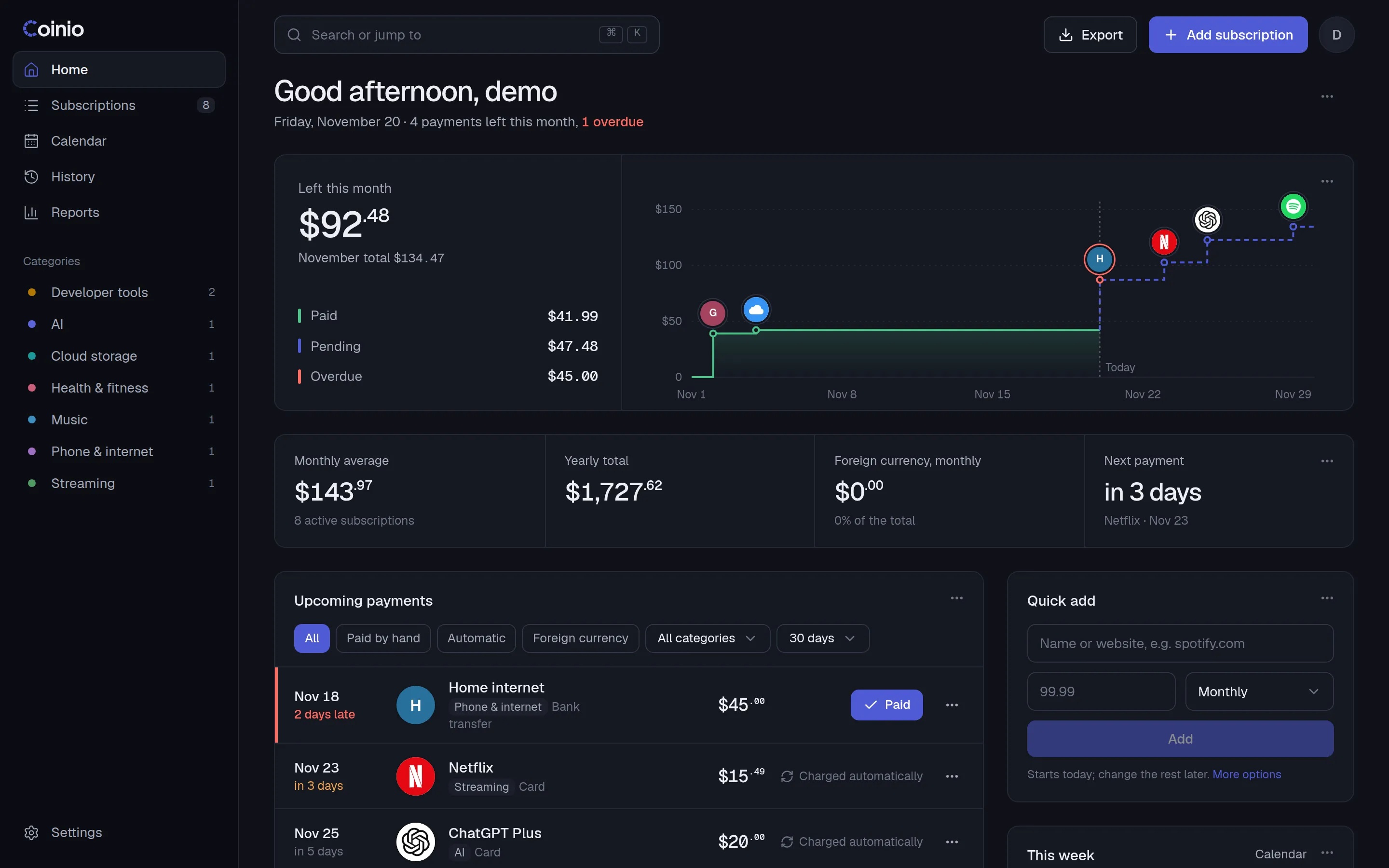
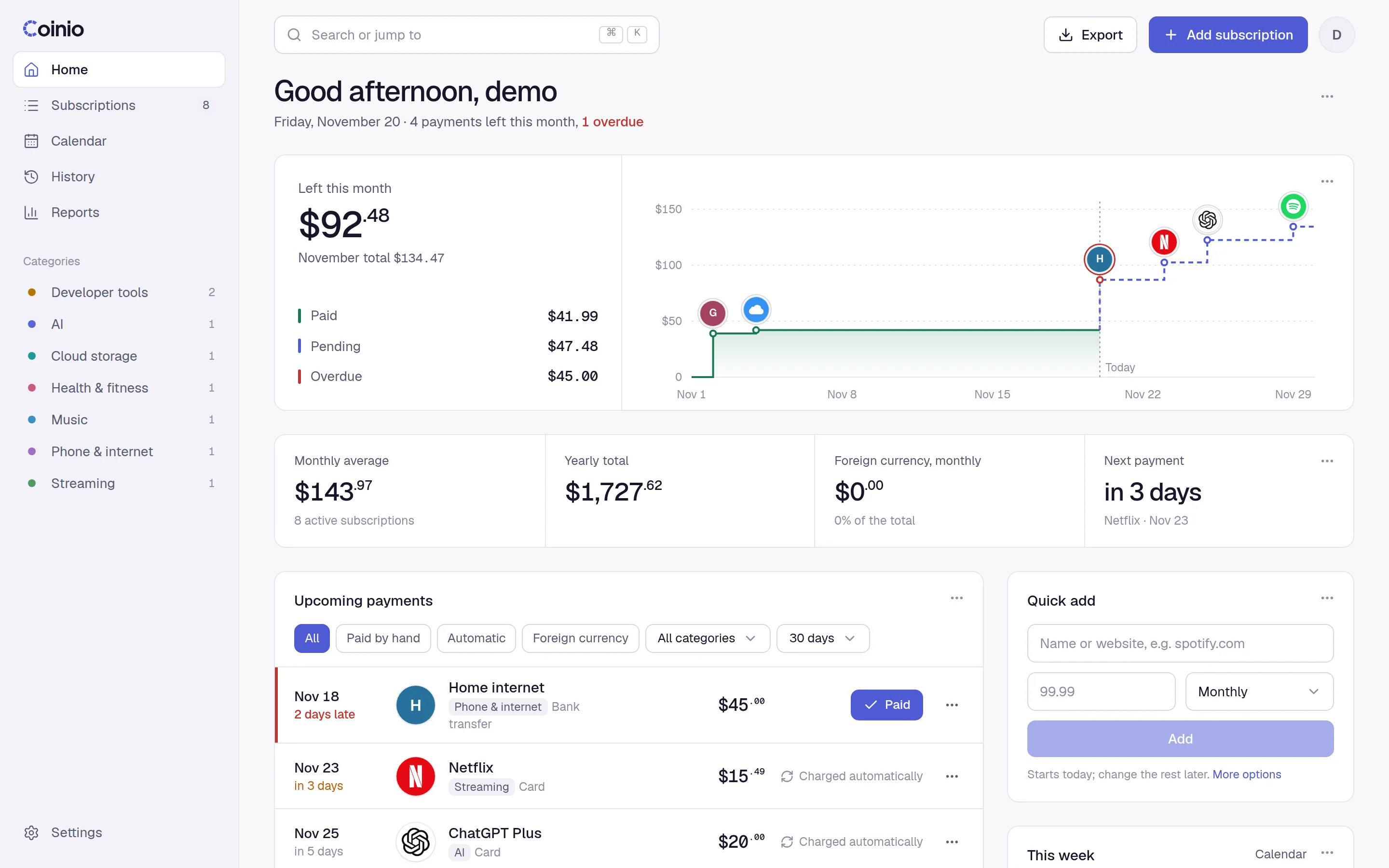
Reminders before the charge
Every due date on one calendar. A Telegram message lands a few days before anything renews, so nothing surprises you.
Open-source subscription tracker
Coinio tracks what you pay for, warns you before anything renews, and runs on your own server. Your data never leaves it.
curl -fsSL https://getcoinio.me/install | shChecks for Docker, starts Coinio on port 8080 and offers a Cloudflare Tunnel for https. Read the script
docker run -d --name coinio --restart unless-stopped \
  -p 8080:8080 -v coinio-data:/data \
ghcr.io/yakupemreyerli/coinio:latestThen open http://your-server:8080 and create your account. Images for amd64 and arm64.
mkdir coinio && cd coinio
curl -fsSLO https://raw.githubusercontent.com/yakupemreyerli/coinio/main/docker-compose.yml
docker compose up -dData lands in ./data next to the file. Set TZ to your own time zone (e.g. Europe/Berlin) in a .env file.
# Project › Create Service › Compose › Git
Repository   https://github.com/yakupemreyerli/coinio
Branch       main
Compose path ./docker-compose.ymlDeploy, then add a domain on port 8080. A one-click Dokploy template is on the way.
curl -fsSL -o /boot/config/plugins/dockerMan/templates-user/coinio.xml \
https://raw.githubusercontent.com/yakupemreyerli/coinio/main/deploy/unraid/coinio.xmlRun it in the Unraid terminal, then Docker › Add Container › Template › Coinio.
Live demo
Mark a bill paid, add a subscription, open the calendar. It runs in your browser with sample data and resets whenever you like.
Sample data in USD. Changes stay in this browser tab. Telegram, API keys and imports need your own server.
What it does
Every due date on one calendar. A Telegram message lands a few days before anything renews, so nothing surprises you.
Netflix in lira, ChatGPT in dollars, hosting in euros. Daily rates roll it all into one total in your own currency.
Type "spot" and Spotify fills in with its logo, category and billing cycle. Anything else gets its own site's icon.
A built-in MCP server with OAuth. Ask "what renews this week?" or "mark rent as paid" from claude.ai or your phone.
A free Scriptable widget for the iPhone Home and Lock Screen. No App Store app, and it keeps working offline.
Themes, accent colour, fonts, density, card order. Add your own CSS, or write HTML cards for the home page.
Self-hosted
No account with us, no cloud, no tracking. Coinio is one container and one SQLite file. Back up the volume and you have everything.
FAQ
The things people ask before putting Coinio on their server. Something missing? Open an issue.
Yes. Coinio is open source under the MIT license. There is no paid tier and no account with us; you run it, you own it. The code is on GitHub.
A machine with Docker: a VPS, a home server, a NAS or a Raspberry Pi. Images are built for amd64 and arm64. There is no separate database to run, and it idles at around 60 MB of memory.
Everything sits in the container's /data folder: one SQLite file (coinio.db) and the logos you picked. Back up that volume and you have it all. With the install script or docker run the volume is called coinio-data:
docker run --rm -v coinio-data:/data -v "$PWD":/backup alpine \
                tar czf /backup/coinio-backup.tgz -C /data .
With Compose it is the ./data folder next to the file. You can also download your subscriptions and payments as CSV or JSON from the app.
The install script offers a Cloudflare Tunnel: paste a tunnel token and Coinio gets an https address without opening any ports. If you already run a reverse proxy (Caddy, Traefik, Nginx, Dokploy), point a domain at port 8080 instead.
Either way, set COINIO_PUBLIC_URL to that https address. The claude.ai connector and secure cookies need it.
Pull the new image and recreate the container. Your data stays in the volume, and database changes are applied on start. With Compose that is docker compose pull && docker compose up -d. With docker run, pull the image, remove the old container and run the same command again.
No telemetry, no analytics, no account. Exchange rates come once a day from Frankfurter, which publishes the European Central Bank's reference rates, and only for the currencies you use.
The other outside requests happen because you asked for them: fetching the icon of a website you add, and Telegram reminders if you set them up.
Each install has one account, and a household can share it to keep every bill in one place. If two people want separate data, run a second container on another port; it takes one more command.
Wallos, yes: export your subscriptions there as JSON and load the file in Settings › Import. You see a preview and any warnings before anything is saved.
From anywhere else, adding by hand is quick: 161 common services fill in their logo, category and billing cycle as you type. Or connect Claude and ask it to add them for you.
The app comes in English, Turkish, German, French, Spanish, Brazilian Portuguese, Simplified Chinese and Japanese. It starts in your browser's language and you can switch any time in Settings. Dates, amounts and currencies are formatted for the language you choose.
MCP (Model Context Protocol) is an open standard that lets AI assistants use tools. Coinio serves one at /mcp, so an assistant can list what renews this week, add a subscription or mark a bill paid.
In claude.ai or the Claude mobile app, add a custom connector with your Coinio address and sign in; no key needed. Claude Code, Claude Desktop and Cursor use an API key from Settings. ChatGPT's custom connectors take the same address. All of this needs the https address from above.
Not in the App Store. There is a free Scriptable widget for the Home Screen and Lock Screen that reads your upcoming payments with a read-only key and keeps showing the last data when offline. The web app can also be added to the Home Screen, where it opens like an app.
A spreadsheet holds amounts, but it does not move due dates forward, convert currencies every day, or tell you on Tuesday that something renews on Friday. Coinio does those, records automatic charges on their own, and keeps a history you can report on.
Paste this on your server. It asks one optional question, then prints the address to open.
curl -fsSL https://getcoinio.me/install | sh